UGREEN CM716 HD USB Video Capture Card (25854)
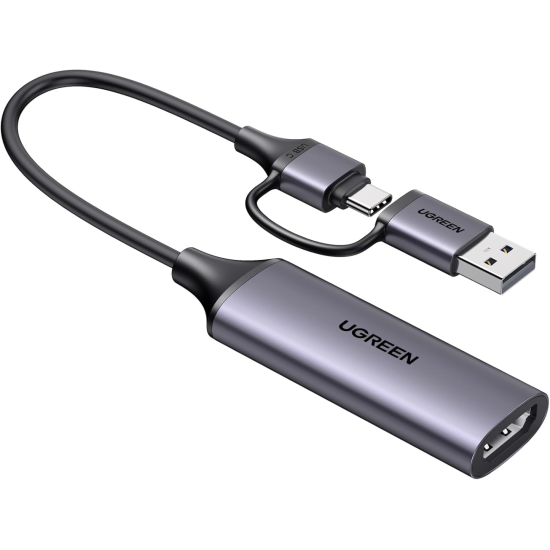
The UGREEN CM716 HD USB Video Capture Card (25854) is a compact and versatile solution for capturing HDMI video and audio from gaming consoles, cameras, computers and other compatible HDMI sources. It is designed for livestreaming, gameplay recording, online teaching, video conferencing, content creation and professional presentations. The CM716 supports up to 4K HDMI input and can capture Full HD video at 1080P@60FPS, providing smooth and detailed footage for streaming and recording. UGREEN also highlights plug-and-play operation and compatibility with popular streaming and recording software such as OBS Studio, XSplit, PotPlayer and QuickTime Player.
4K HDMI Input & 1080P@60FPS Capture
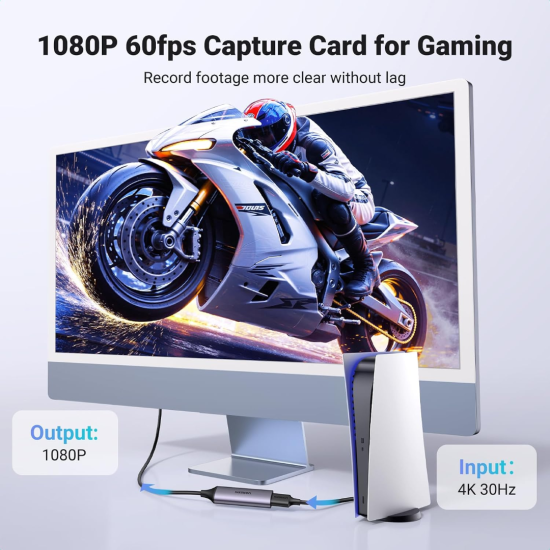
The UGREEN CM716 is built to handle high-resolution HDMI sources while delivering smooth Full HD capture. It supports up to 4K input and 1080P at 60FPS capture, making it suitable for recording fast-moving gameplay, camera footage and live content. The 60FPS capture capability provides smoother motion than conventional 30FPS capture, making the CM716 particularly useful for gaming, livestreaming and action-oriented video.
Recommended product-page wording:
4K HDMI Input + 1080P@60FPS Capture
This should not be confused with native 4K recording—the capture resolution is Full HD.
Dual USB-A & USB-C Connectivity
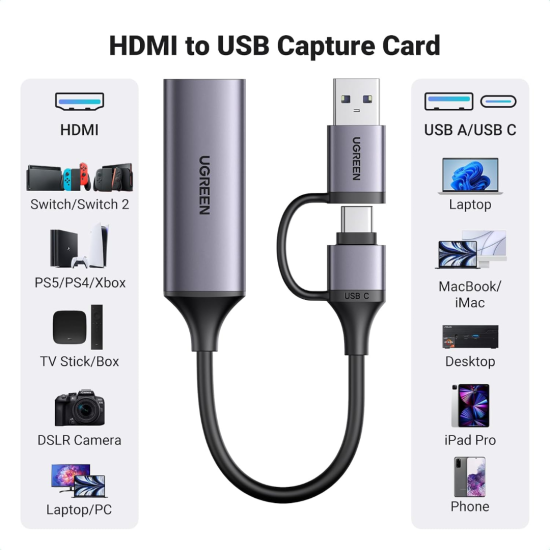
One of the key advantages of the UGREEN CM716 is its flexible host connection. The capture card provides USB-A and USB-C connectivity, allowing it to connect with a broad range of modern computers and compatible mobile devices. It can be used with Windows PCs, laptops, Mac computers and supported tablets or smartphones. UGREEN specifies compatibility with Windows 8.1/10/11, macOS, Linux and Android on its current product documentation.
This dual-interface design makes the CM716 convenient for users who work across both traditional USB-A and newer USB-C devices.
Plug-and-Play Streaming & Recording
The CM716 is designed for straightforward setup without complicated driver installation. Connect an HDMI source to the capture card, connect the USB interface to the host device and select the capture device in compatible software. It works with popular platforms and applications including OBS Studio, XSplit, PotPlayer and QuickTime Player, making it suitable for livestreaming to platforms such as YouTube, Facebook and Twitch.
The capture card is suitable for:
- Gaming and gameplay recording
- YouTube and Facebook livestreaming
- Camera-to-PC video capture
- Online classes and training
- Video conferencing
- Product demonstrations
- Presentation recording
- Digital content creation
HDMI Audio, Compatibility & Important Notes
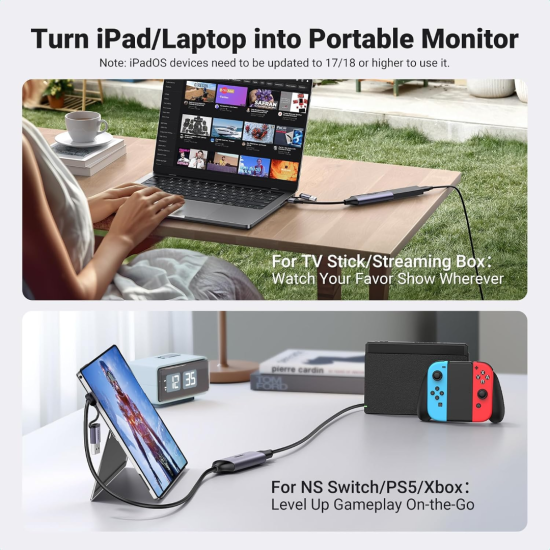
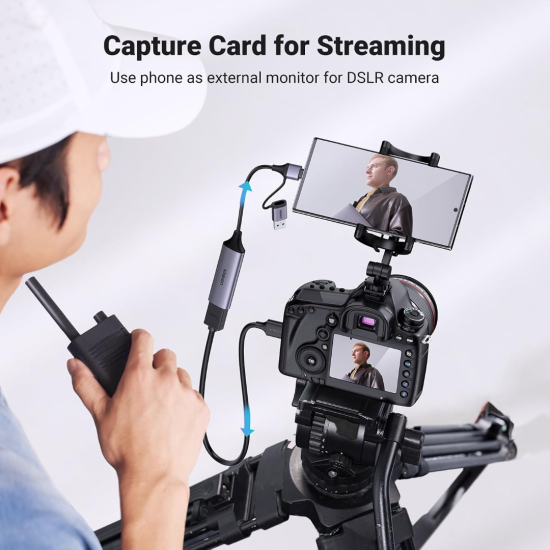
The UGREEN CM716 can capture HDMI video together with embedded audio, helping users record synchronized sound and visuals from supported HDMI sources. Its broad source compatibility makes it suitable for devices such as PS5, PS4, Nintendo Switch, Xbox consoles, DSLR cameras, camcorders, TV boxes and other HDMI-output devices. For protected content, users should note that the capture card does not support HDCP-protected signals. UGREEN also states that HDR and 3D are not supported on the relevant product documentation. Therefore, HDCP may need to be disabled on compatible game consoles before capture.
Key Features
- Up to 4K HDMI input support
- Full HD 1080P@60FPS capture
- USB-A and USB-C connectivity
- Plug-and-play operation
- HDMI video and audio capture
- Compatible with OBS Studio and XSplit
- Supports Windows, macOS, Linux and Android
- Suitable for gaming, streaming and recording
- Compact and portable design
No separate external power adapter required for normal USB operation
Frequently Asked Questions (FAQ)
Q1: What is the maximum capture resolution of the UGREEN CM716?
Ans: The UGREEN CM716 supports capture up to 1920 × 1080 at 60FPS. It can accept higher-resolution HDMI sources, but the recording or streaming output is Full HD.
Q2: Can the UGREEN CM716 be used for PS5, PS4, and Nintendo Switch?
Ans: Yes. It is designed to capture HDMI output from compatible gaming consoles, including PS5, PS4, and Nintendo Switch. HDCP-protected signals are not supported, so HDCP may need to be disabled where applicable.
Q3: Does the UGREEN CM716 require a separate driver or power adapter?
Ans: The CM716 is designed for plug-and-play use and does not normally require a separate power adapter. Connect it to the host device through its USB interface and configure it in compatible capture software.